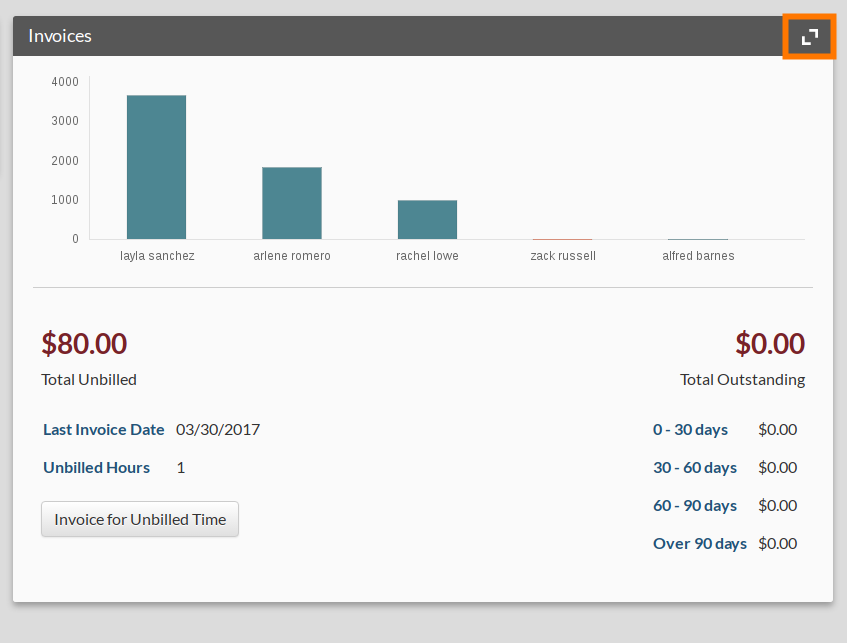
The invoice module expanded view gives you an overview of all of the invoices billed to a particular client. Click the expanded view icon in the invoice module to open it.
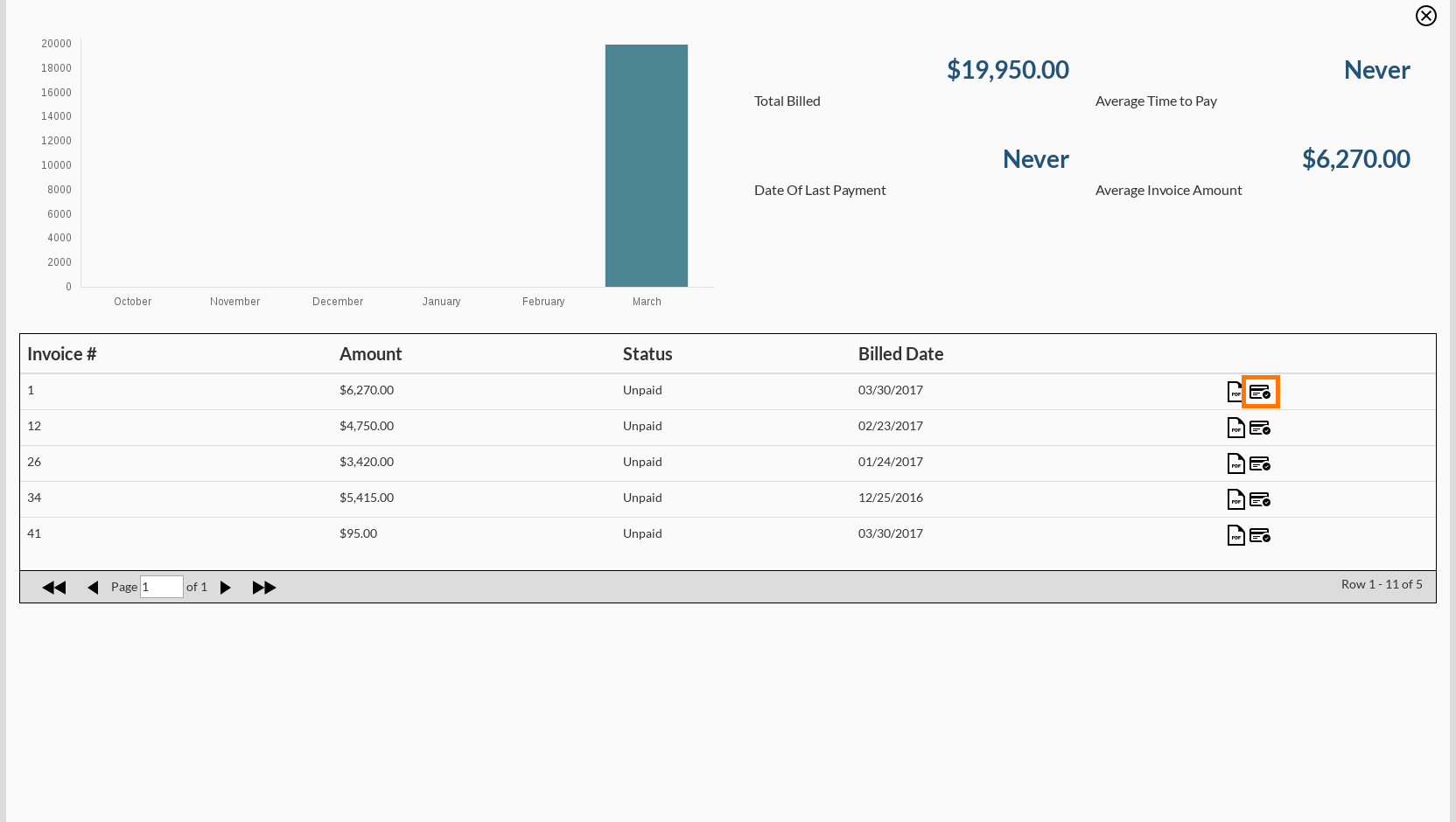
To mark an invoice as paid, click the pay icon next to the invoice.

Modified on: Thu, 30 Mar, 2017 at 9:57 PM
The invoice module expanded view gives you an overview of all of the invoices billed to a particular client. Click the expanded view icon in the invoice module to open it.
To mark an invoice as paid, click the pay icon next to the invoice.
Did you find it helpful? Yes No
Send feedback